

Deploy Your Agent
Once you’ve built and tested your agent locally, you can deploy it to make it accessible to others and unlock powerful debugging features.Blink agents never require deployment to run. Deployment is completely
optional. Blink is MIT licensed and supports both cloud-hosted and self-hosted
deployments, with local-first development always available.
Blink UI Features
Deploying your agent provides several benefits beyond local development:Multi-User Access
Once deployed, your agent becomes accessible to other users. Share your agent with your team, customers, or the broader community.- Web interface: Users can chat with your agent at blink.so
- Slack integration: Deploy your agent to Slack channels
- GitHub integration: Use your agent to respond to issues and pull requests
- API access: Integrate your agent into custom applications
Deep Logging and Tracing
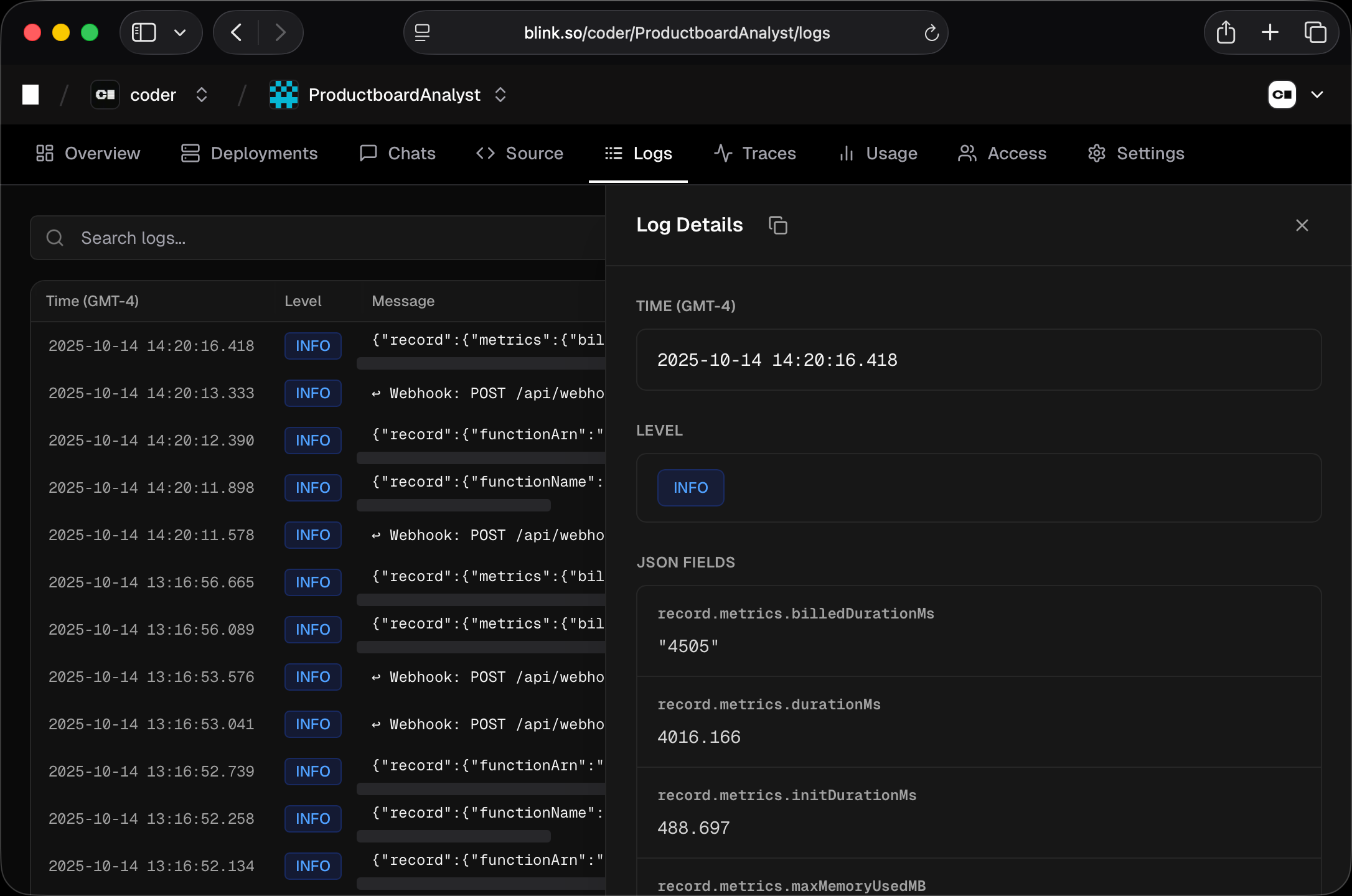
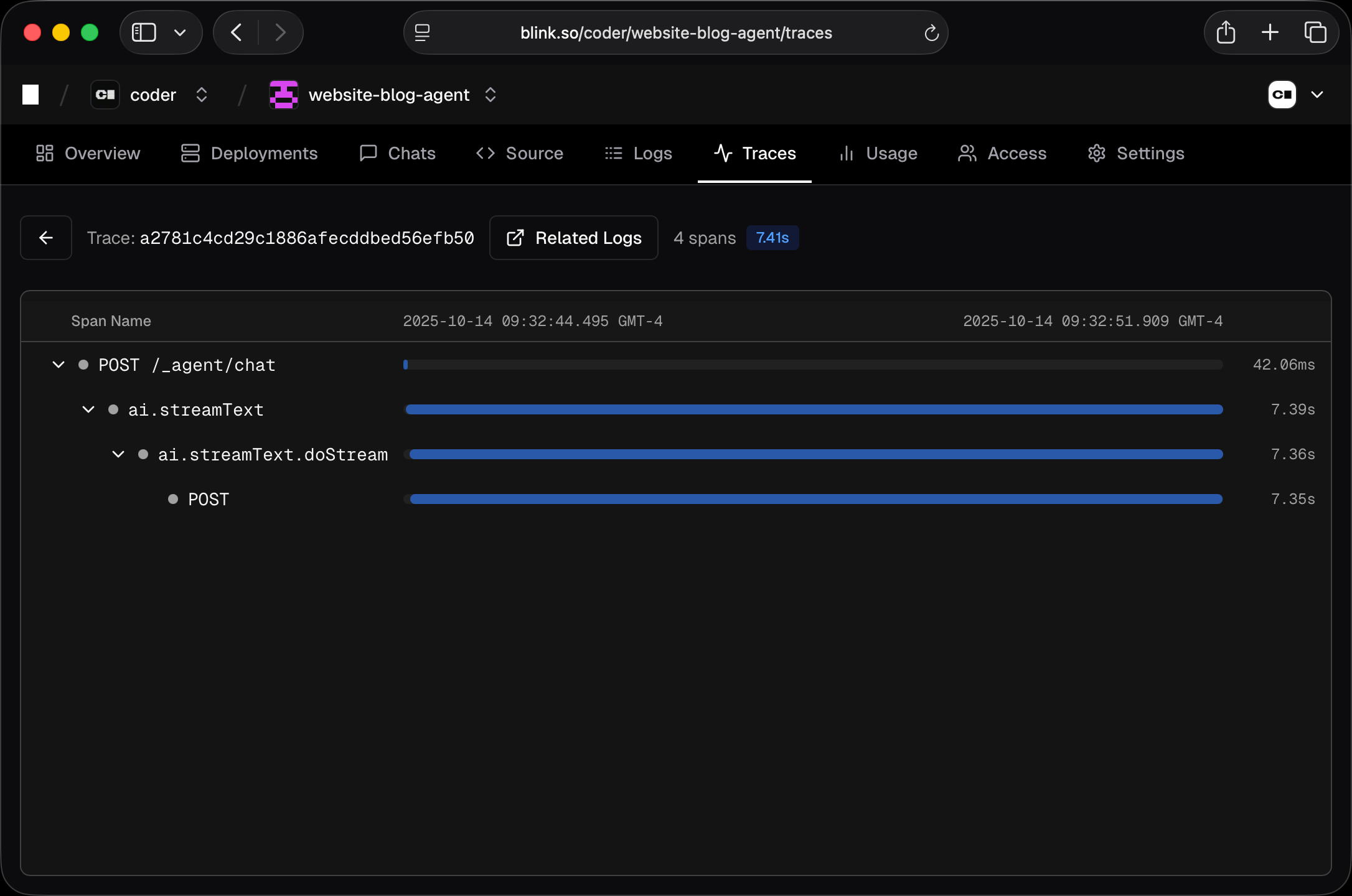
Blink automatically captures detailed logs and traces for every interaction with your deployed agent:- Message history: Full record of all conversations and agent responses
- Tool execution logs: See which tools were called, with what inputs, and what outputs they produced
- Token usage tracking: Monitor model token consumption across all chats
- Performance metrics: Response times and processing duration for each interaction
Usage Metrics
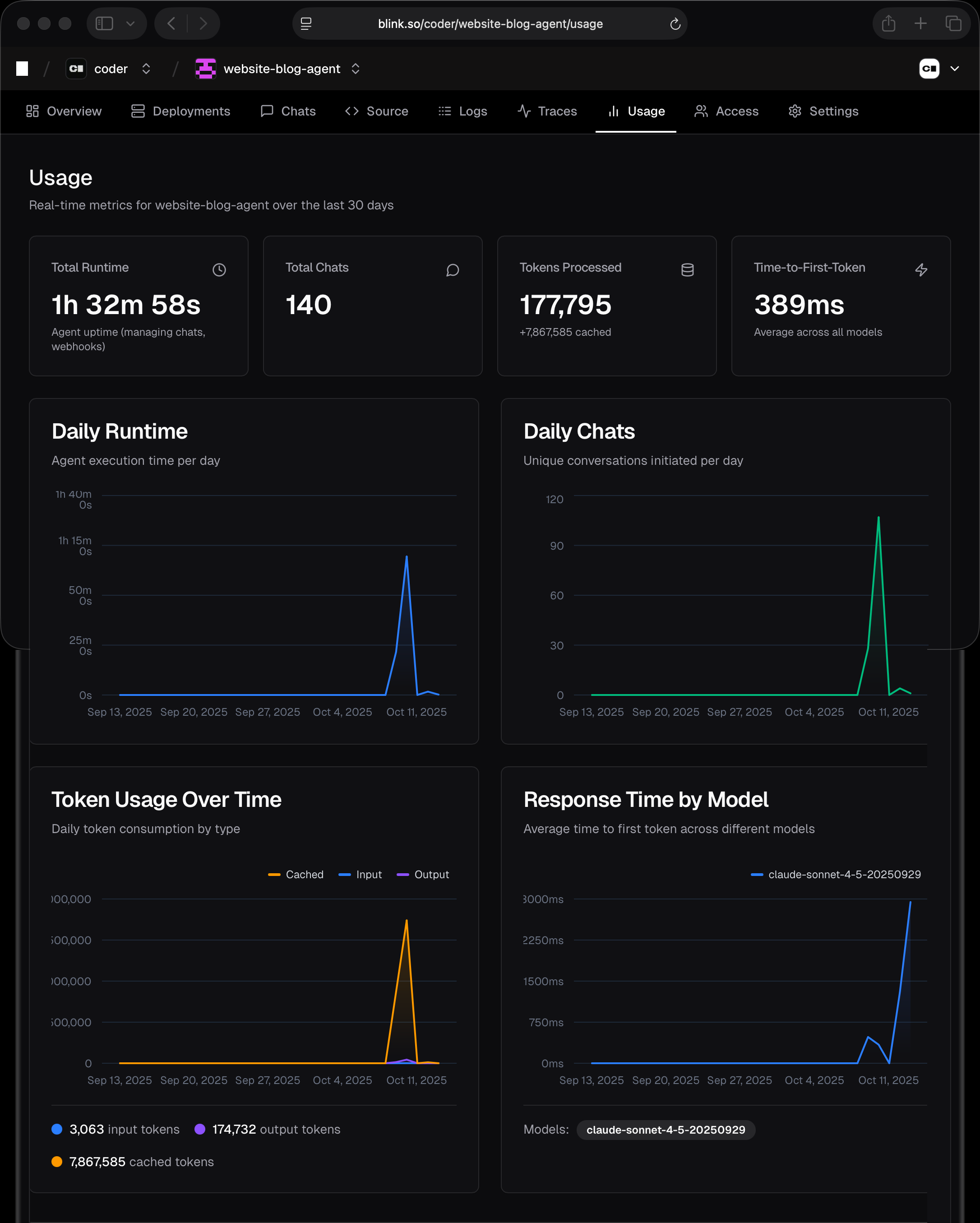
The Usage screen provides real-time metrics for your agent over the last 30 days, helping you understand how your agent is being used and performing:- Total runtime: Cumulative processing time across all conversations
- Total chats: Number of conversations initiated with your agent
- Tokens processed: Total token usage across all model interactions
- Time to first token: Average latency before the agent starts responding
- Daily runtime: Day-by-day breakdown of processing time
- Daily chats: Conversation volume trends over time
- Token usage over time: Track token consumption patterns
- Response time by model: Compare performance across different LLM models
Deployment Workflow
1
Test locally
Use
blink dev to build and test your agent thoroughly before deploying.2
Deploy
Run
blink deploy to package and upload your agent.3
Monitor and debug
Use the Blink dashboard to watch your agent in action, review logs, and
measure performance.
4
Iterate
Make changes locally, test with
blink dev, then redeploy with blink deploy to push updates.Managing Deployments
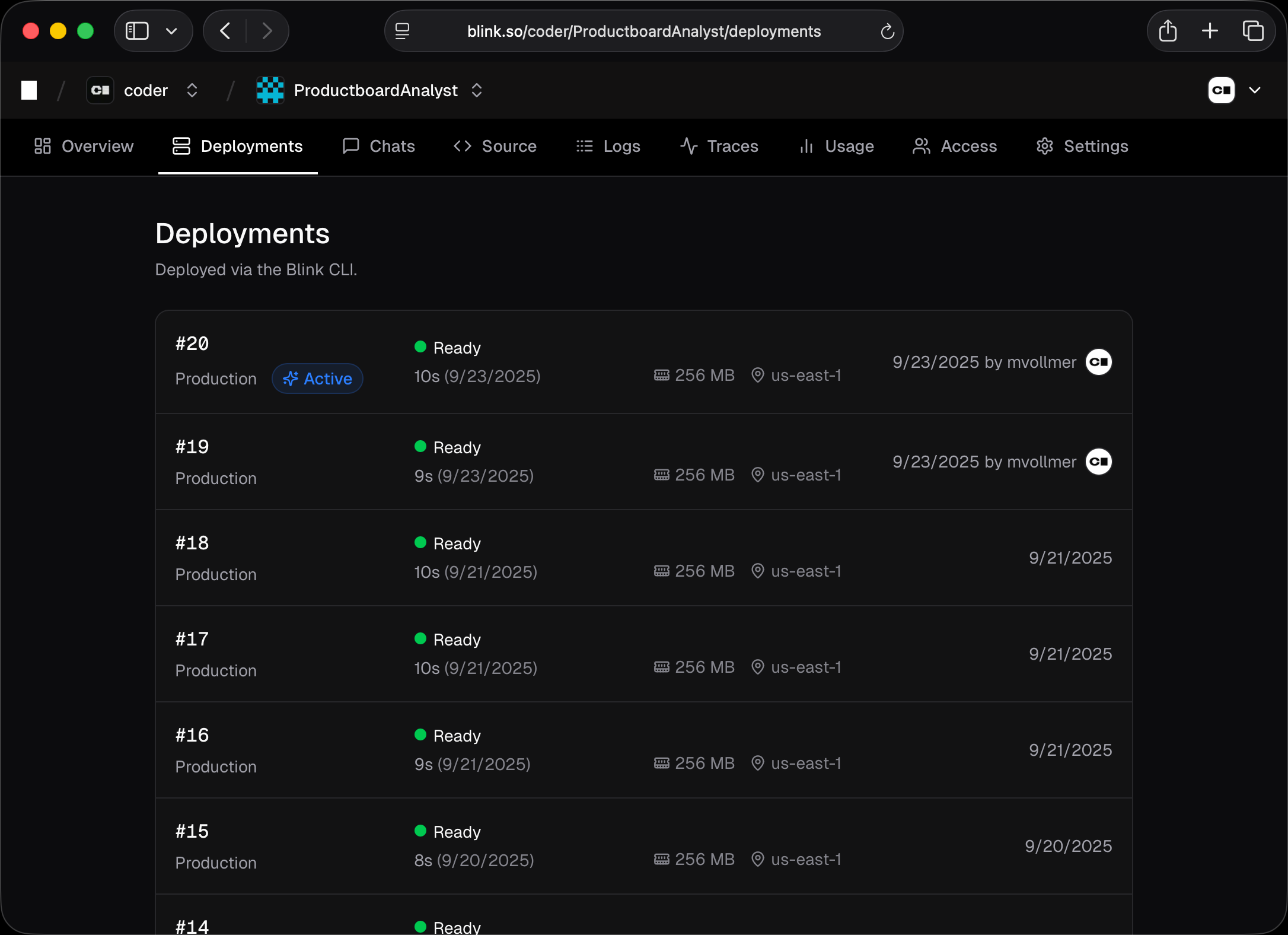
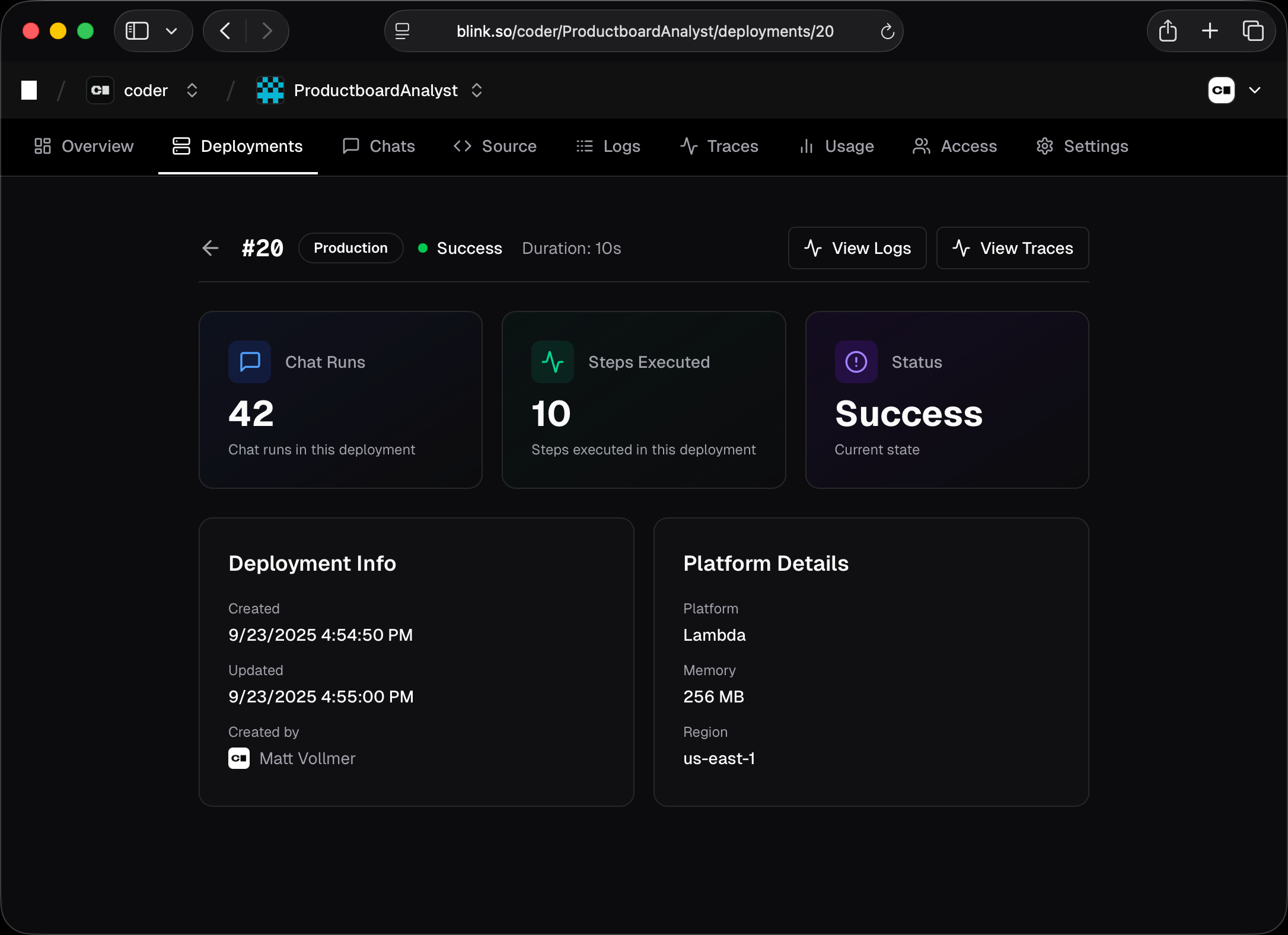
Each time you runblink deploy, Blink creates a new deployment with an incremental version number. This allows you to:
- Roll back: Revert to previous versions if issues arise
- Compare versions: See what changed between deployments
- Test in production: Deploy experimental versions alongside stable ones
Environment Variables
Your deployed agent can access environment variables you configure in the Blink dashboard:- Navigate to your agent’s Settings page
- Go to the Environment section
- Add your API keys, secrets, and configuration values
Only variables set in your
.env.production file are deployed with your
agent. Variables in .env.local are for local development only.API Keys
You can deploy your agents from CI/CD environments using API keys. This is useful for automating deployments in GitHub Actions, GitLab CI, or other continuous integration workflows.Creating API Keys
To create an API key for automated deployments:- Navigate to your User Settings page
- Go to the API Keys section
- Click Create API Key to generate a new key
- Give your API key a descriptive name (e.g., “GitHub Actions CI”)
- Copy the generated key immediately - it will only be shown once
Deploying with API Keys
To deploy using an API key, set theBLINK_TOKEN environment variable:
blink deploy command will automatically use the BLINK_TOKEN environment variable to authenticate when you’re not logged in interactively.